



Gremlin MCP server
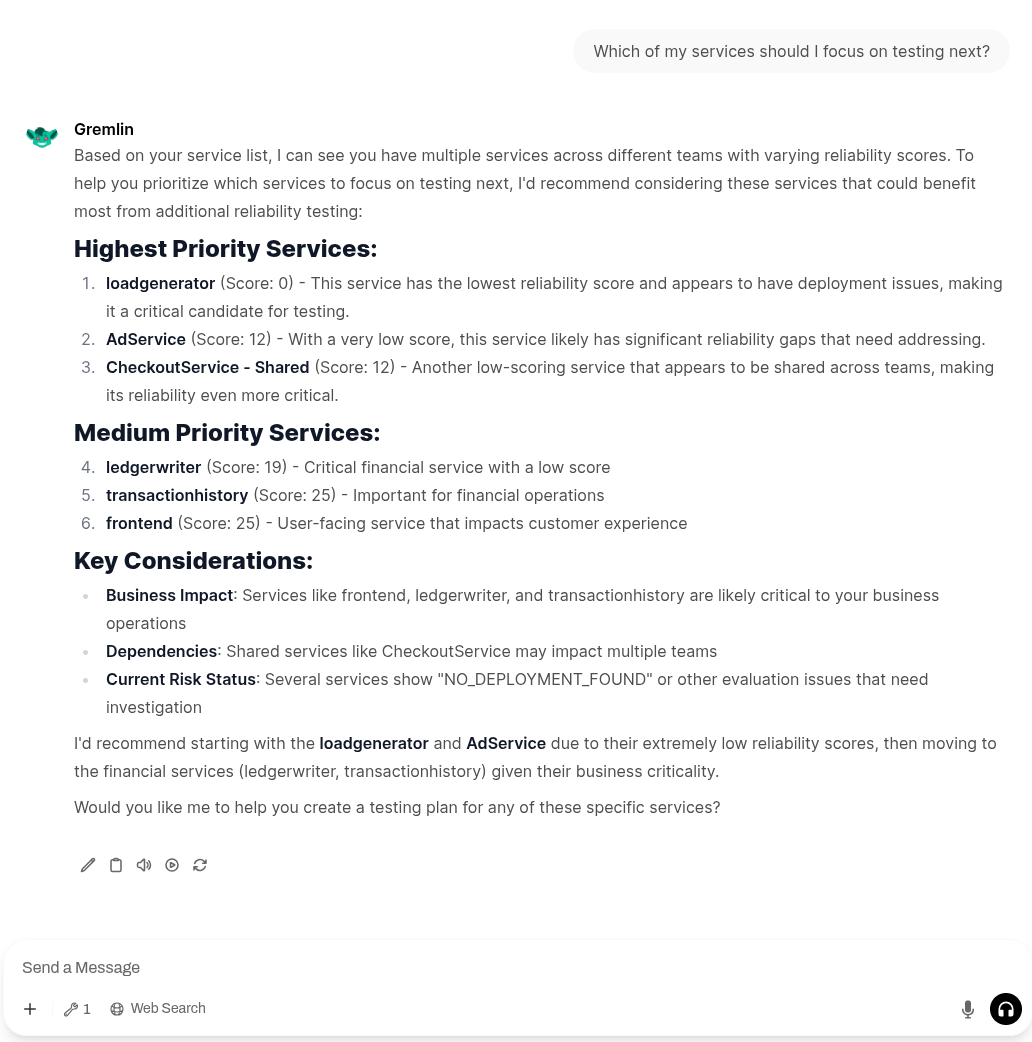
Gremlin provides a model context protocol (MCP) server, which lets you interact with your Gremlin account using your choice of AI agent. The MCP server provides access to Gremlin’s reliability management and testing capabilities, including:
- Viewing service test results and reliability scores
- Tracking service dependencies
- Running and monitoring reliability experiments
- Generating custom reliability, usage, and pricing reports
- Summarizing agent and experiment activity
Prerequisites
To use the Gremlin MCP server, you will need:
- A valid Gremlin account.
- An AI or LLM interface that can run MCP servers, such as Claude Desktop.
Deploying the Gremlin MCP server
Gremlin provides two methods of deploying the MCP server:
- Using the Gremlin-hosted version (recommended).
- Using the local version.
Using the hosted MCP server
The hosted MCP server is hosted by Gremlin. Authentication is handled via OAuth: when running the server for the first time, your client (Claude Desktop, Cursor, etc.) opens a browser window where you can log into your Gremlin account.
To use the hosted MCP server (using Claude Desktop as an example):
- Open Claude Desktop.
- Navigate to Customize and click Add > Add Custom Connector.
- Enter a name for the server, such as "Gremlin MCP server."
- In the server URL box, enter https://mcp.gremlin.com/mcp and click Continue.
- Under Authentication, select Sign in now. Under "Oauth Client," select Use Claude's published identity and click Add.
- Once the Connector is added, you will see a screen that says "You're not connected to Gremlin MCP server yet." Click Connect. This will open a browser window where you can log into Gremlin.
- In your browser, click Continue connecting. Claude will redirect you to Gremlin's login screen.
- Log into Gremlin using the account you wish to use to authenticate the MCP server. Note that the MCP server will have the same privileges as this account.
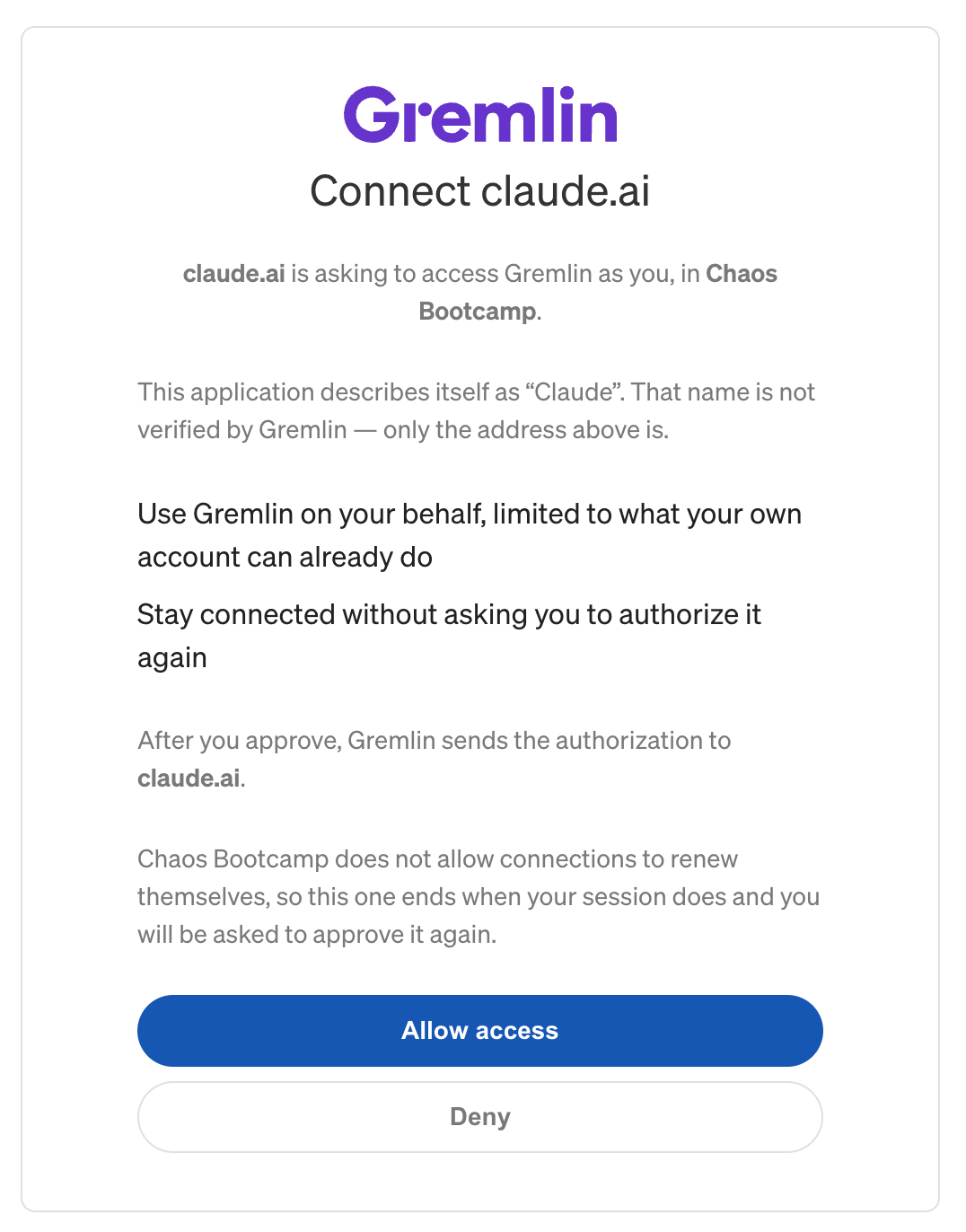
- Once logged in, you will see a screen similar to the one below (You will see the name of the company your user account belongs to in place of "Chaos Bootcamp"). If you agree to the terms, click Allow access. Otherwise, click Deny to cancel the authorization process.
- After clicking Allow access, Gremlin will redirect back to Claude Desktop to complete authorization. Once Claude connects, you will see your new Connector and the list of available tools.
Using the local MCP server
As an alternative to the hosted version, you can deploy the Gremlin MCP server by running it locally on your system. Instructions for deploying the MCP server depends on the LLM interface you’re using.
Prerequisites
To run the local MCP server, youwill need:
- A valid Gremlin REST API key.
- An AI or LLM client that can run Node.js-based MCP servers (e.g. Claude Desktop).
Claude Desktop
- Open Claude Desktop.
- Navigate to Customize > Developer (under “Desktop app”) and click Edit Config.
- Open the claude_desktop_config.json file in a text editor and add the following snippet.
- Replace
your_gremlin_api_key_herewith your Gremlin API key. - If your file already contains an mcpServers block with MCP servers, add the gremlin block to your list of MCP servers. Be sure to add a comma after the previous block):
- Replace
VS Code / Cursor
VS Code
To open your MCP settings in VS Code:
- Open VS Code.
- Open the Command Palette by pressing Ctrl+Shift+P (Cmd+Shift+P on Mac).
- Type “MCP: Open User Configuration”
Alternatively, you can edit the mcp.json file manually at the following locations:
- Linux:
~/.config/Code/User/mcp.json - macOS:
~/Library/Application Support/Code/User/mcp.json - Windows:
%APPDATA%\\Code\\User\\mcp.json
Once you have the file open, add the following:
Available Tools
These are the tools the Gremlin MCP server makes available to your LLM.
Service Management
list_services
Lists all available reliability management (RM) services with their descriptions, scores, and targeting information.
get_service_dependencies
Retrieves dependencies for a specific service.
get_service_status_checks
Gets status checks configured for a service.
list_service_risks
Lists identified risks associated with a service.
Reliability reports & analytics
get_reliability_report
Generates a reliability report for a service on a specific date.
get_reliability_experiments
Retrieves recent reliability experiments for a service.
Usage and billing
get_pricing_report
Fetches the pricing usage report for the company over a specified date range. Returns usage broken down by tracking period including active agents, targetable applications, and unique targets by type.
get_client_summary
Loads the client (agent) summary for a team over a specified time period. Shows agent activity and status.
get_attack_summary
Loads the attack summary for a team over a specified time period. Shows attack activity and results.
Test and experiment history
get_recent_reliability_tests
Gets recent reliability tests for a team.
get_current_test_suite
Retrieves the current test suite for a team or all teams.
Example Queries
- List all services:
"What reliability management services are available?" - Identify critical dependencies for testing coverage:
"I'm trying to find which are my most critical dependencies. Can you pull all my RM services, identify shared dependencies, ignoring ignored dependencies, create a list of them and then use the policy reports to understand what my coverage currently is for these dependencies. Finally; I want you to create a quick page with some graphics to help me understand the state of the world" - Identify gaps in scheduling:
"I think my schedule for tests is misconfigured for my RM services. I think this because I'm seeing a lot of expired policy evaluations in my RM Reports. It takes about 6 weeks to expire a policy evaluation and I should be testing every week. Now given my scheduling window it's possible that I'm not running every test every week, but across 6 weeks it seems less likely. Now, it's expected that for policy evaluations on a dependency which is marked as a SPOF it's expected for the policy evaluation to get to EXPIRED state. So can you go check all my RM services and figure out how many policy evaluations (excluding those on ignored or SPOF dependencies) are expired as a percentage of total? I'd like to see that on a per service basis"
Troubleshooting
Authentication Errors
Ensure your GREMLIN_API_KEY is valid and has the necessary permissions. The server will exit immediately with an error message if the key is missing.
Server Not Starting
Check your MCP client's logs for error output from the server process. For example, for Claude Desktop on macOS, run this in your terminal:
Node.js Version
If you have multiple Node.js versions on your PATH, you may need to specify the path to your preferred version: