
Serverless platforms promise seamless scalability and minimal operational overhead, letting engineers focus on building features. But while the burden of operations has changed, one thing has not: these systems, like any other, can fail.
Bad API responses, corrupted payloads, partial service degradation, messaging ordering issues—these are just some of the reliability risks when deploying serverless applications. And while reliability tests like CPU scalability and disk I/O throughput are important, they rely on infrastructure-level access that serverless platforms don’t offer. Nevertheless, your customers expect 100% uptime, no matter where or how your application is deployed.
We created Failure Flags to address this problem, and now, we’re making it easier than ever with Failure Flags by proxy. Now you can prove the reliability of your serverless applications without modifying a single line of code.
No-code reliability testing
Failure Flags by proxy routes your application’s network traffic through a sidecar container, which acts as an entrypoint for running reliability tests. You can drop availability zone (AZ)-specific network traffic to simulate a datacenter outage, add latency to simulate network degradation or saturation, generate exceptions to test error-handling logic, and more. These tests reveal reliability risks in your application that infrastructure-based tests can’t, helping you find and fix risks before they can impact production traffic and customers.
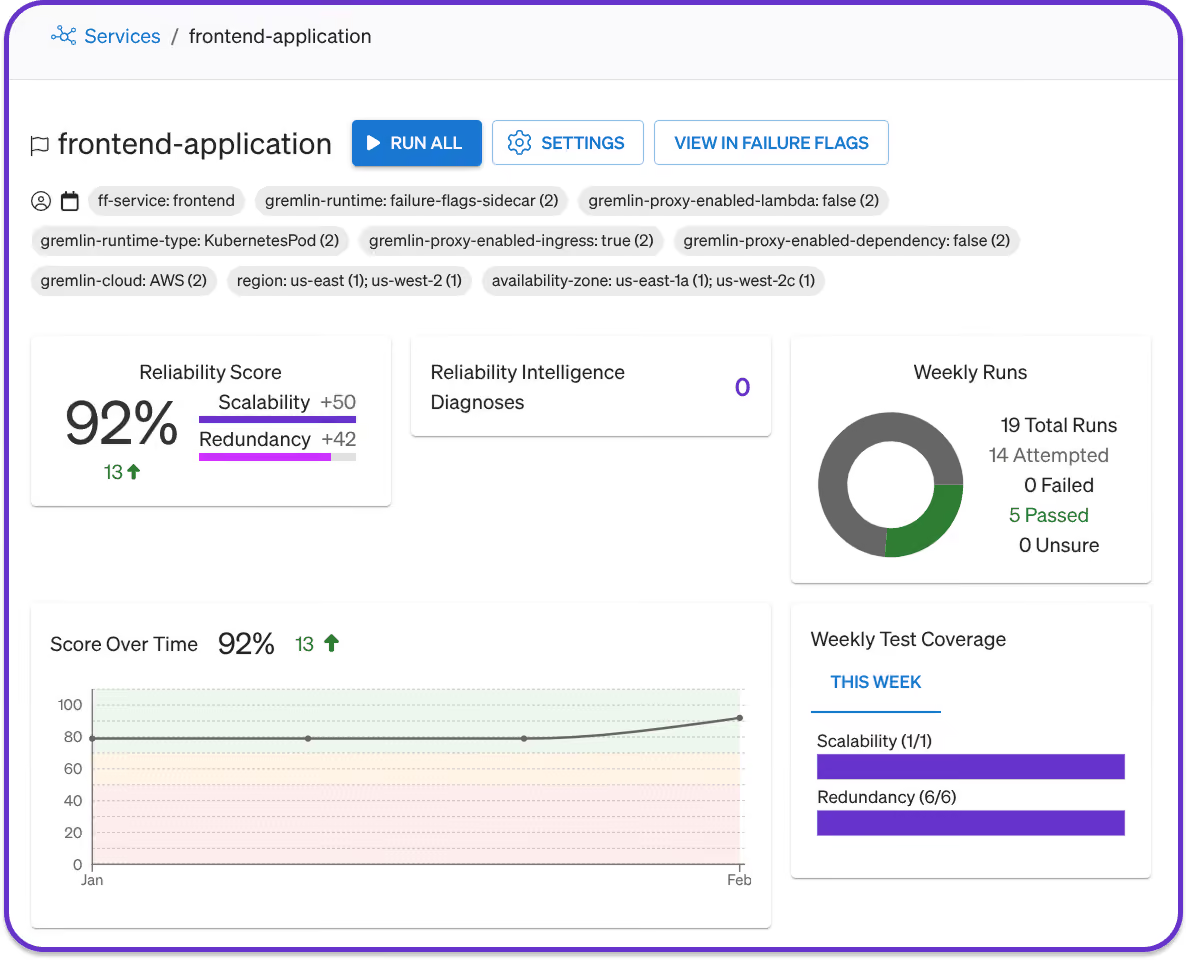
Unlike the Failure Flags SDK, the proxy requires no code changes. Just deploy the sidecar alongside your application, set environment variables to proxy traffic through the sidecar, and start testing.
Intelligent Health Checks: visibility without observability
Accurate reliability tests require good observability. After all, how can you tell whether your application is resilient without visibility into its behavior?
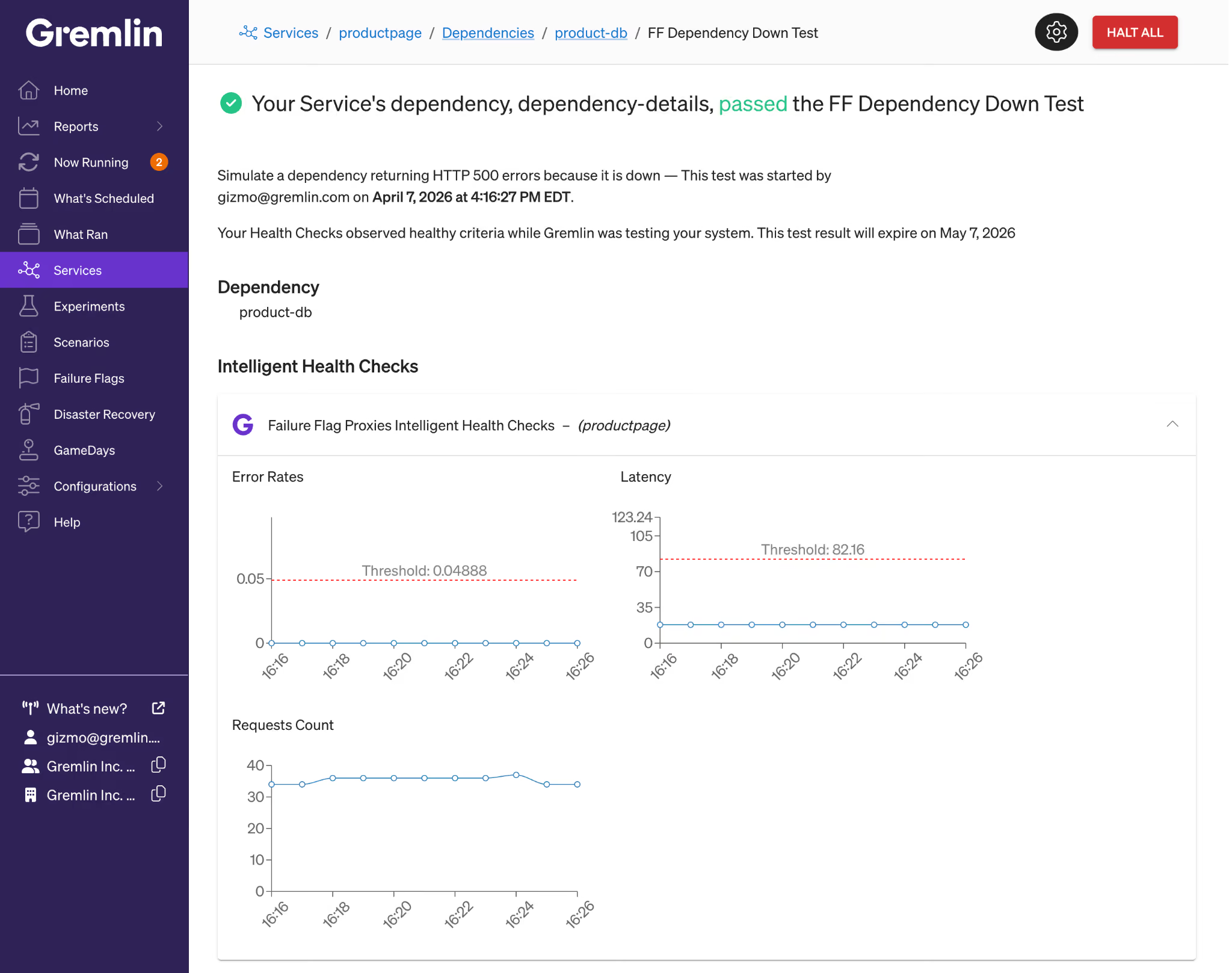
This normally requires integrating Gremlin with your observability tool to monitor key metrics and alerts. But with Intelligent Health Checks for Failure Flags, you can enable, configure, and monitor metrics for your Failure Flags applications in just one click.
When enabled, Gremlin automatically creates Health Checks using your application’s network throughput, latency, and error rate. Gremlin sets baseline thresholds for each metric based on your application’s normal performance. When a test is running, Gremlin compares your application’s metrics against these baselines and halts the test if any one metric exceeds its threshold.
All it takes is one click. No adding integrations, no creating monitors or alerts, no setting up API keys: just check a box, select the application to monitor, and start testing.
Start improving reliability across your stack
Failure Flags provides proactive reliability testing for your applications, letting you measure, manage, and improve reliability across your entire stack. The result is predictive reliability data that reveals hidden risks that traditional observability tools miss. It means you can report to leadership with confidence that you've validated the failure modes that matter, not just the ones that were easy to test. And it means your team spends less time coordinating testing across tools and environments, and more time acting on the results.
Failure Flags by proxy is available for all platforms supported by Failure Flags, including Kubernetes, AWS Lambda, AWS ECS, and Pivotal Cloud Foundry. Take a more in-depth look below in our product tour, or contact us for a demo of Failure Flags.
Start your free trial
Gremlin's automated reliability platform empowers you to find and fix availability risks before they impact your users. Start finding hidden risks in your systems with a free 30 day trial.
START YOUR TRIAL
How a major retailer tested critical serverless systems with Failure Flags
Find out how Gremlin helped a major retailer test region failover for a critical service built on AWS Lambda using Failure Flags.


Find out how Gremlin helped a major retailer test region failover for a critical service built on AWS Lambda using Failure Flags.
Read more